Case study
From a git push to production — without the fear
A real app running on Managed Containers, wired to a GitHub repository. Every push to main builds and deploys automatically — but to a Staging copy, never straight to production. When it looks right, one click promotes that exact build live. No 504s during builds, no "hope it works" deploys. See the reference Deployment pipeline and Deploy from Git guides for the how-to.
1. Connect the repository once — the pipeline appears
The example app is a small family-tree web app (a Node service behind a container). Connecting its GitHub repo is the whole setup:
- On Platforms → Container Apps, connect GitHub and pick the repository and branch (
main). - That turns the app into a Deployment pipeline: a Staging environment (a test copy on its own
ca-*.cdn.com.trURL) and Production, with a Promote button between them. - From now on, every push auto-deploys to Staging — you never touch production by pushing code.
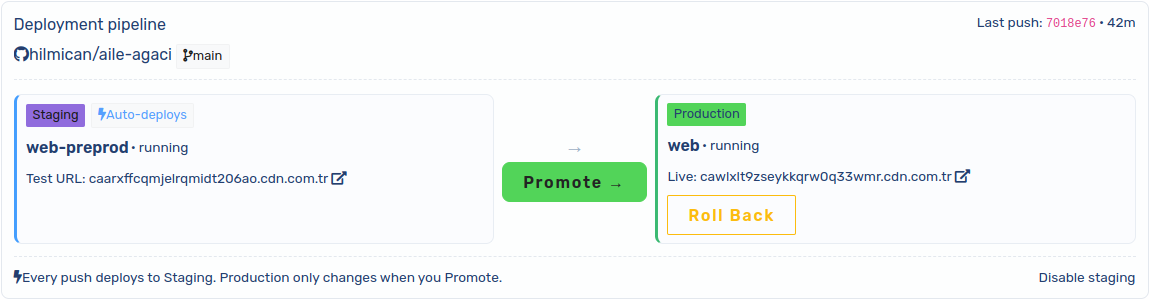
2. Every push lands on Staging — production keeps serving
Here is the same app in both environments at the same moment. Look at the build stamp in the footer: Staging already has the newer build from the latest push, while Production still serves the previous one. Nothing rebuilt on the production app, so there was zero downtime and no 504s while the new build was compiling.
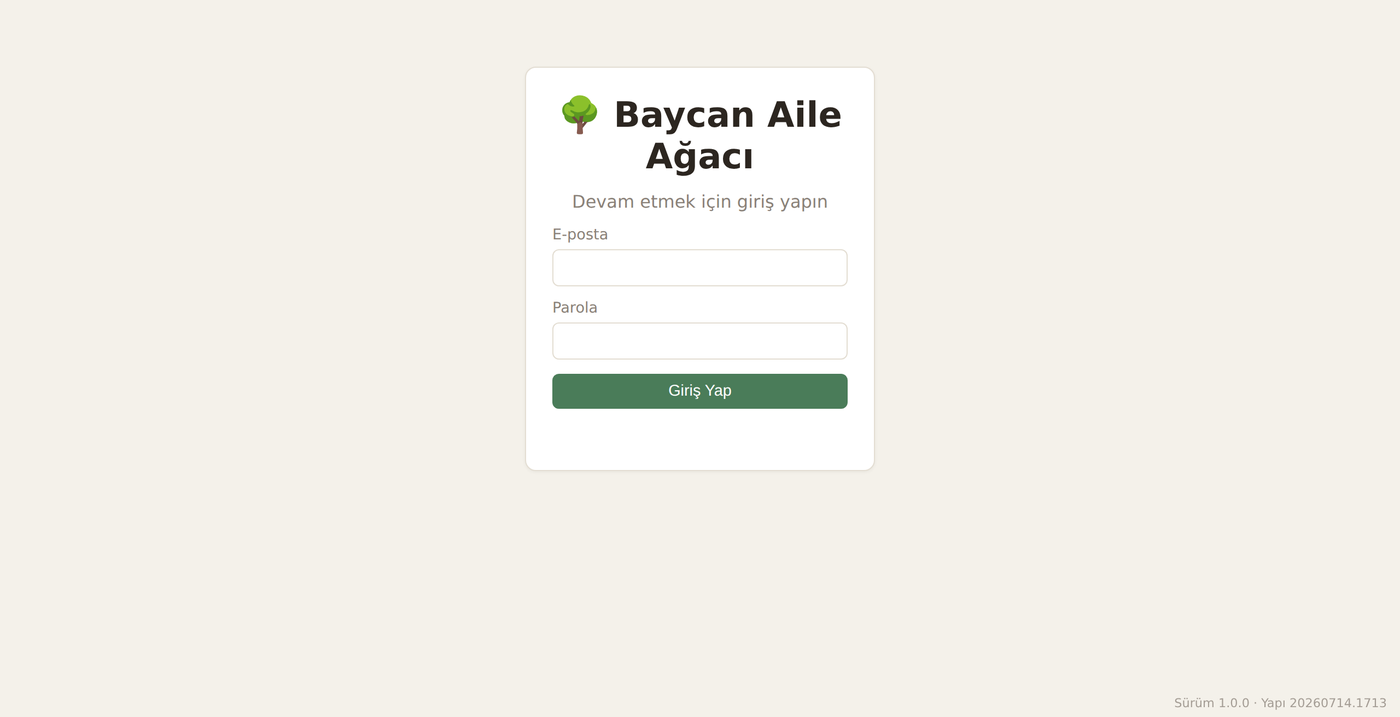
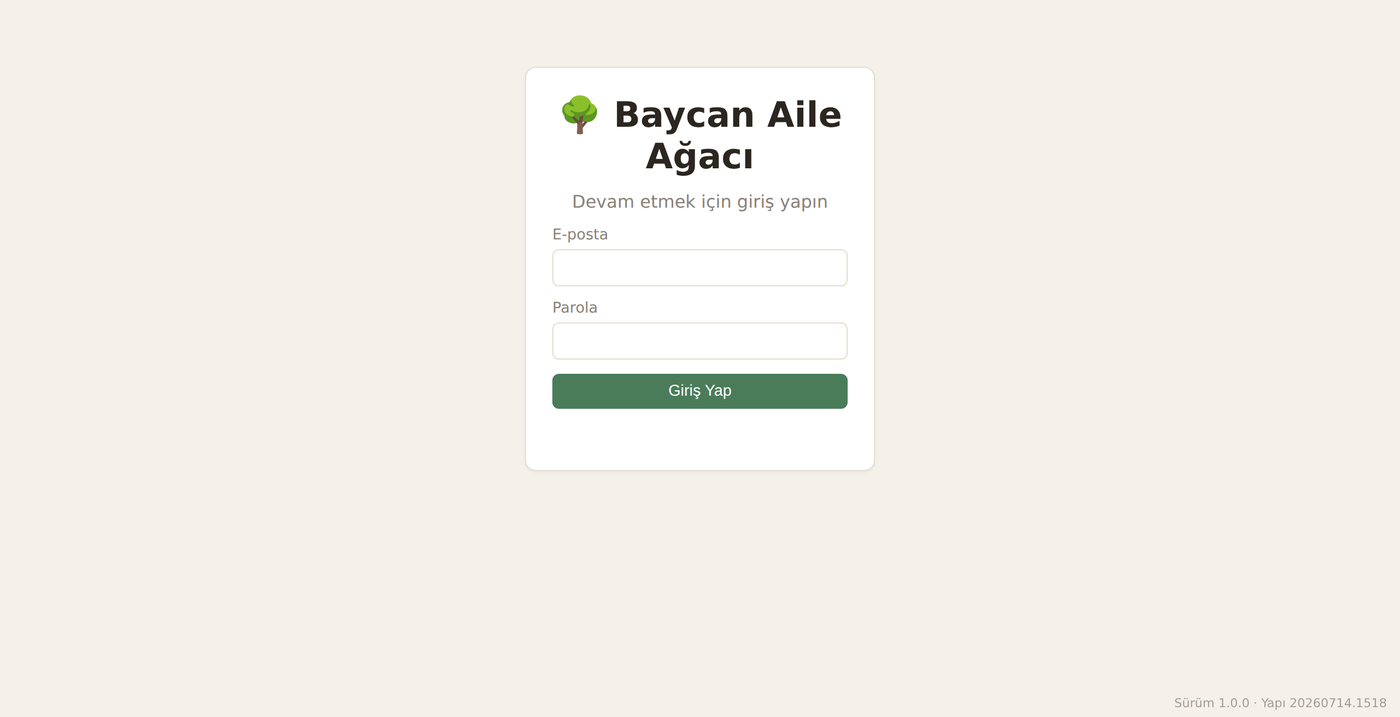
- Staging auto-built and deployed the latest commit — reachable on its own test URL.
- Production is untouched: same running build, same live domain, uninterrupted.
- You test the new build in a real, isolated environment before a single production user sees it.
3. Verify on the real Staging URL
Staging is a genuine running copy of the app on its own subdomain — same image, same add-ons — so you can click through the actual change, not a mock. Only when it is right do you move on.
- Open the Staging test URL from the pipeline card and exercise the change end to end.
- Broke something? Just push a fix — Staging redeploys, Production is still safe.
4. Promote: one click, zero rebuild
Promote does not build anything. It swaps the production domain's origin to the already-running Staging build — an instant, atomic switch. The build you tested is byte-for-byte the build that goes live.
- Click Promote on the pipeline card — production now serves the exact build you verified on Staging.
- Because it is a domain-origin swap (not a rebuild), the cutover is instant with no downtime.
- Rollback is the same, in reverse: one click returns production to the previous build (with a DB snapshot when the app has one).
The same pipeline from the terminal (cdnctl)
Everything above is scriptable — handy for CI. The panel and cdnctl drive the same endpoints:
# Connect once in the panel, then every push to main auto-deploys to Staging.
# Verify Staging on its test URL, then promote the tested build to production:
cdnctl container apps status  --account <uuid> --app <staging_app_uuid>
cdnctl container apps promote --account <uuid> --app <staging_app_uuid>

# Roll back to the previous production build if needed (instant, no rebuild):
cdnctl container apps rollback-promotion --account <uuid> --app <prod_app_uuid>
Why this is safe by design
- Pushing code can never break production — auto-deploy targets Staging only.
- What you promote is exactly what you tested (no rebuild between test and live).
- Cutover and rollback are instant domain-origin swaps, not slow redeploys.
- Builds happen off to the side, so the live site never returns 504 while compiling.
Reference guides: Deployment pipeline · Deploy from Git · Blue/green environments.