
What Dokku and Coolify get right
Credit first, because it is due. Dokku distilled Heroku's core loop — git push, watch the build, app is live — into a single-server tool that has been reliable for a decade. Coolify wrapped the same idea in a genuinely pleasant UI with one-click databases and a growing template library. Both handle TLS, both speak Dockerfile, and both run on hardware you fully control, which matters when data must stay put or when a fixed-price VPS is the whole budget.
If you run one of these happily today, nothing below argues you made a mistake. The question this guide answers is narrower and only appears with time: who operates the platform under your platform — and is that still the best use of your hours?
The line item the README omits: you are the platform team
A self-hosted PaaS is software you run on a server you run. Two layers, both yours. The server needs OS security patches, SSH hardening, and disk that quietly fills with Docker images and build caches until the morning deploys start failing with "no space left on device" — the classic Dokku incident, and it always picks its moment. The PaaS itself needs upgrades that you read the changelog for, because it sits between your code and production and a breaking change there IS a production change.
Then the sharper questions. Backups: the databases your PaaS one-clicked into existence — who dumps them, where do the dumps go, and when did anyone last test a restore? High availability: one server means the host reboot takes every app down together. None of this is exotic work. It is a part-time platform-engineering job that arrived silently with the install script, billed in your evenings.
The same loop, operated for you
The workflow you actually like is push-to-deploy, and that is not what you would be giving up. On cdn.com.tr, GitHub Deploy connects a repository and turns a push into a deploy: the platform pulls the branch, builds your Dockerfile in a sandboxed builder (no registry account needed), runs the steps you define, and rolls the release out behind a healthcheck — traffic moves to the new container only when it reports ready, so a broken build never takes the site down. The edge cache in front is purged automatically on deploy.
What changes is who gets paged. Host patching, builder upgrades, disk, and the platform's own availability stop being your side of the table. Managed Postgres and Redis replace the one-click containers with databases that are operated and backed up as a service, and S3-compatible object storage replaces the volume-on-this-server pattern for uploads. The honest trade, same as ever: no root on the host, no OS-level installs, public traffic is HTTP(S). Your Dockerfile is the contract — which is also what keeps the door open to leave.
What the panel side looks like
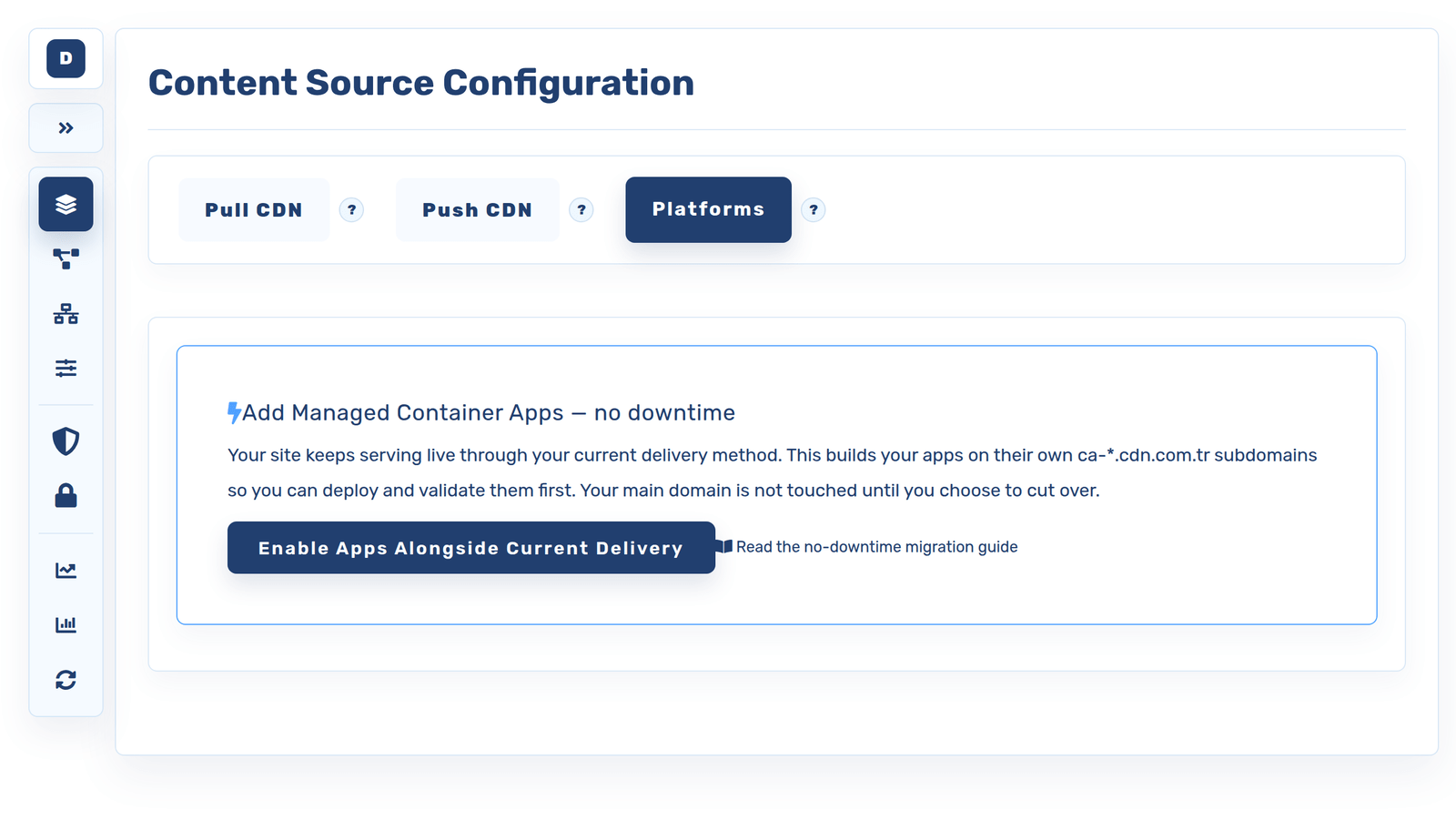
Coolify users in particular will find the shape familiar: applications with domains, environment variables and secrets, logs you can read without SSH, and databases attached to apps — minus the server settings pages, because there is no server of yours underneath. Container apps carry their healthcheck, replica count and persistent storage as first-class settings, and everything on the screen is also scriptable from the same CLI, so the UI is a view of the platform rather than the only door into it.
Everything in the panel is also a CLI away
# see your apps and read logs without SSH
cdnctl container apps list --account <uuid>
cdnctl container apps logs --account <uuid> --app <app_uuid> --tail 100

# scale, restart, roll back — the operations you actually reach for
cdnctl container apps scale   --account <uuid> --app <app_uuid> --replicas 2
cdnctl container apps restart --account <uuid> --app <app_uuid>
cdnctl container apps rollback --account <uuid> --app <app_uuid> --revision <revision_uuid>
Migrating: smaller than you think
Your app already lives in Git, and under Dokku or Coolify it already builds from a Dockerfile or a buildable layout — which means the hard part of a migration happened long ago. Moving is re-pointing where the push goes, plus a data pass.
Connect the repository to GitHub Deploy (or, if the app is described by a docker-compose.yml, import that: services with a build: section are built from their Dockerfiles, databases become managed add-ons). Recreate the environment variables and secrets. Move the data: dump the database and restore it into the managed one, and copy uploaded files into object storage. Run both platforms in parallel for a few days — the old server keeps serving while you verify the new deploy — then switch DNS and retire the box on your own schedule.
A compose-described app: preview the plan, then apply it
# see exactly what your compose file becomes — nothing is created yet
cdnctl container compose preview --account <uuid> --file docker-compose.yml

# apply when the plan looks right
cdnctl container compose apply --account <uuid> --file docker-compose.yml

# data: dump on the old box, restore into the managed database
pg_dump -Fc appdb > appdb.dump
pg_restore -d "$MANAGED_DATABASE_URL" appdb.dump

# uploads: from the old server's volume into object storage
aws --endpoint-url https://s3.cdn.com.tr s3 sync ./uploads s3://app-uploads
When to stay self-hosted
Symmetry demands this section. Keep Dokku or Coolify when the server is genuinely free to you — a homelab, hardware you already own and enjoy operating. Keep it when data locality is a hard constraint and the machine must be yours. Keep it when the operating work is the point: running your own platform is one of the best ways to learn this entire field. And keep it when you need something the managed trade excludes — root, raw TCP ports, exotic system dependencies that do not belong in a container image.
If none of those describe you — if the platform under your apps is a chore rather than a hobby or a requirement — then the workflow you like is portable, and the pager is optional.
Frequently asked questions
Do I lose the git-push workflow by leaving Dokku?
No — that workflow is the product here. GitHub Deploy turns a push into a pull-build-release cycle with a healthcheck gate, and Docker Compose Instant Deploy covers multi-service apps. What you stop doing is operating the machine that runs it.
My Dokku app uses buildpacks, not a Dockerfile. Can it move?
Yes, with one small step: add a Dockerfile. For most buildpack apps that is a handful of lines (base image, copy, install, start command), and it makes the app portable to any container platform — this one included. It is worth doing even if you stay on Dokku.
What replaces Coolify's one-click databases?
Managed Postgres and Redis add-ons — attached to your apps the same way, but operated and backed up as a service instead of running as containers whose disk and dumps are your responsibility.
Can I migrate gradually instead of in one cut?
Yes, and you should: deploy to the managed platform while the old server keeps serving production, verify against the real build, pre-sync data, then move DNS when you are satisfied. The old box makes an excellent rollback plan until you switch it off.