
What you need (60 seconds)
One thing: a cdn.com.tr plan that includes the container platform — every standard plan does. Install the CLI with the one-liner below and sign in. Works the same on Linux, macOS and Windows; there are also APT/YUM repos, Homebrew and a Docker image if you prefer a package manager.
$ curl -fsSL https://cdn.com.tr/downloads/cdnctl/install.sh | sh
$ cdnctl login
Step 1 — cdnctl init: let the folder introduce itself
Run init inside the project directory. It detects the stack and the port, writes a small cdnctl.yaml manifest, and drops a deploy section into AGENTS.md so your AI coding agent learns the flow too. It also checks your account: if the container platform is missing, it prints the exact purchase link — and with --wait it simply pauses until your payment completes in the browser, then continues by itself.
$ cdnctl init
Proje    : gorev-takip (node/express, port 3000)
Agent    : claude-code (claude on PATH), cursor
Paket    : ✓ Large (max 5 app)
Karne    : 2 HATA, 2 uyarı — ayrıntı: cdnctl check
Yazıldı  : cdnctl.yaml, AGENTS.md

→ Önce `cdnctl check` hatalarını düzeltin (deploy sonrası site açılmaz).
Step 2 — cdnctl check: fix it while it's cheap
check is a local linter for deployability. Errors (they would break the live site) stop a deploy; warnings won't. The fixes are usually one-liners: bind to 0.0.0.0 instead of 127.0.0.1, move the hard-coded token into --secret, add a GET /health that returns 200, read the port from the PORT environment variable.
$ cdnctl check
[ERROR] bind-localhost (server.js:61)
        The app binds to 127.0.0.1 — unreachable inside a container.
        → Bind to 0.0.0.0 (just drop the host argument).
[ERROR] secret-in-code (server.js:10)
        A hard-coded secret (API key/token/password).
        → Move it to --secret KEY=VALUE; read it via process.env.
[WARNING] sqlite-single-pod
        SQLite loses data on restart / multiple replicas.
        → Mount a persistent disk or switch to a managed database.
[WARNING] no-healthcheck
        No /health route — the platform can’t tell your app is alive.
Step 3 — cdnctl deploy: folder in, URL out
deploy archives the folder (node_modules and .git never travel), uploads it, builds it in the platform's sandbox and releases it. The progress lines mean exactly what they say; when you see LIVE, the URL is already serving over HTTPS. Updates are the same command — the new build replaces the old only after it is up.
$ cdnctl deploy
→ archiving source (gorev-takip)
→ uploading (0.1 MB)
→ starting build (Kaniko, isolated sandbox)
   build: running
   build: success        (41 s)
→ creating the app
→ assigning a subdomain
→ first deploy
→ waiting for the app to come up

✓ LIVE: https://ca…….cdn.com.tr
No plan yet? The browser handshake
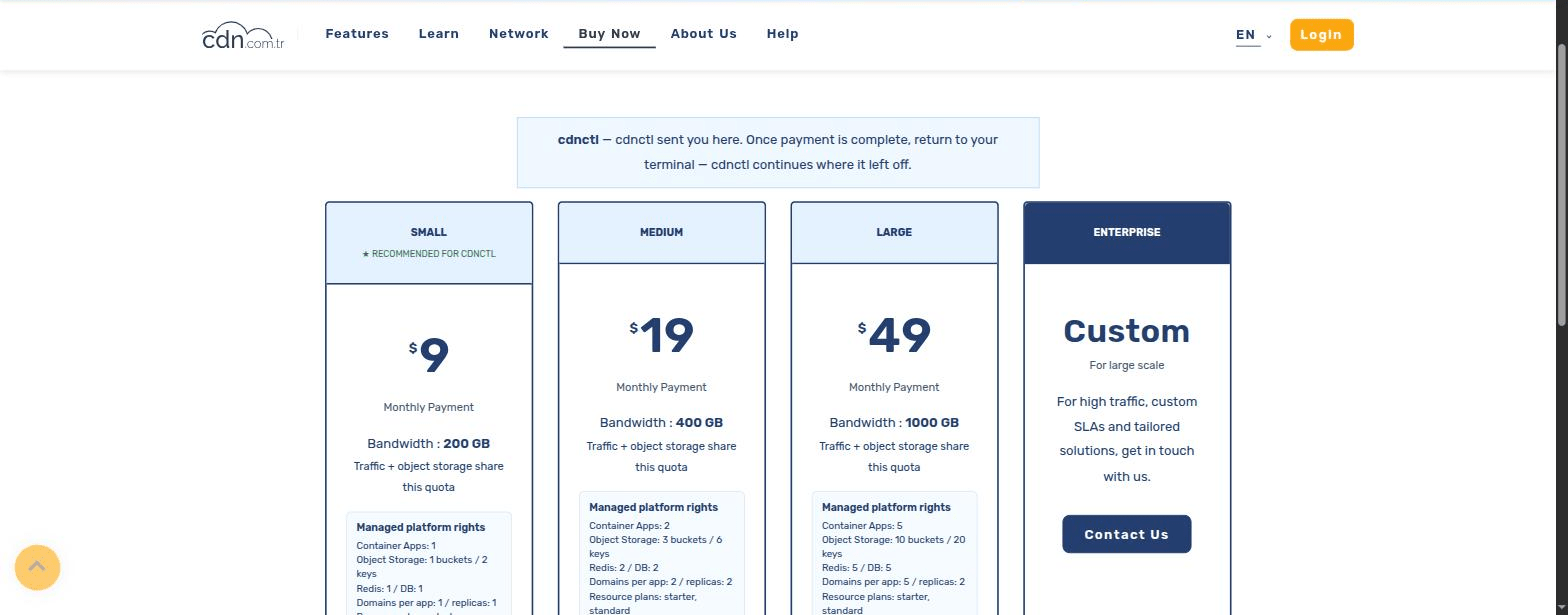
If init finds no container platform on your account, it sends you to the purchase page with context — the page shows a banner confirming cdnctl sent you and marks the recommended plan. Pay in the browser as usual; the confirmation page tells you to return to the terminal, and cdnctl (with --wait, or simply re-run init) picks the flow up automatically. No copying of keys, no configuration.
Limits and the honest fine print
Source uploads are capped at 128 MB — comfortably enough once node_modules stays home. A typical build takes about a minute. If your app needs to keep files, ask for a persistent disk at deploy time or use object storage; if it uses SQLite, consider the managed database instead — check will keep reminding you why. And if a build fails, cdnctl prints the build log directly; the most common first-time cause is a Dockerfile that copies node_modules from your machine (add it to .dockerignore).
Frequently asked questions
Can I attach my own domain?
Yes — the app gets a working subdomain immediately, and you can attach your own domain from the panel or the CLI afterwards.
Where are my logs?
cdnctl container apps show and the panel's Health tab cover status; build logs are printed by cdnctl deploy on failure, and runtime logs live in the panel.
Can I run more than one app?
Yes; your plan sets the app quota. Each project folder deploys as its own app with its own URL.
My AI agent does the coding — can it deploy too?
Yes. init already teaches it the commands via AGENTS.md; give it a deploy-only token (cdnctl deploy-token create) so it can ship without ever holding your account password.