
What the three numbers actually measure
LCP — Largest Contentful Paint — is the time until the biggest visible element renders: the hero image, the headline block. It is the metric closest to "when did the page feel loaded". Good is under 2.5 seconds for the 75th percentile of real visits.
INP — Interaction to Next Paint — measures how long the page takes to visibly respond after a tap, click or keypress, across the whole visit. Good is under 200ms. It replaced FID in 2024 and is stricter: it catches the sluggishness users feel on JavaScript-heavy pages, not just the first input.
CLS — Cumulative Layout Shift — scores how much visible content moves without the user asking: the paragraph you were reading jumping as an ad loads, the button that moved just as you tapped. Good is under 0.1, and unlike the other two it is a unitless score, not a time.
Field data vs lab data: which numbers to believe
PageSpeed Insights shows two different worlds. The top section — "what real users experienced" — is field data from Chrome users over 28 days, and it is what Google actually uses. The bottom score is a lab simulation on throttled hardware: useful for diagnosing, misleading as a target.
Practical consequences: a lab score of 60 with green field data means you are fine; perfect lab with red field means real visitors on real networks are suffering and the lab machine is not. Optimize for the field numbers, use the lab report to find out WHY they are what they are, and remember field data lags — a fix today takes up to 28 days to fully show.
Fixing LCP: mostly a delivery problem
LCP decomposes into: time to get the HTML, time to discover the main image, time to download it, time to render. Three of those four are delivery — which is why LCP is the vital a CDN moves most, and why it is the right first target.
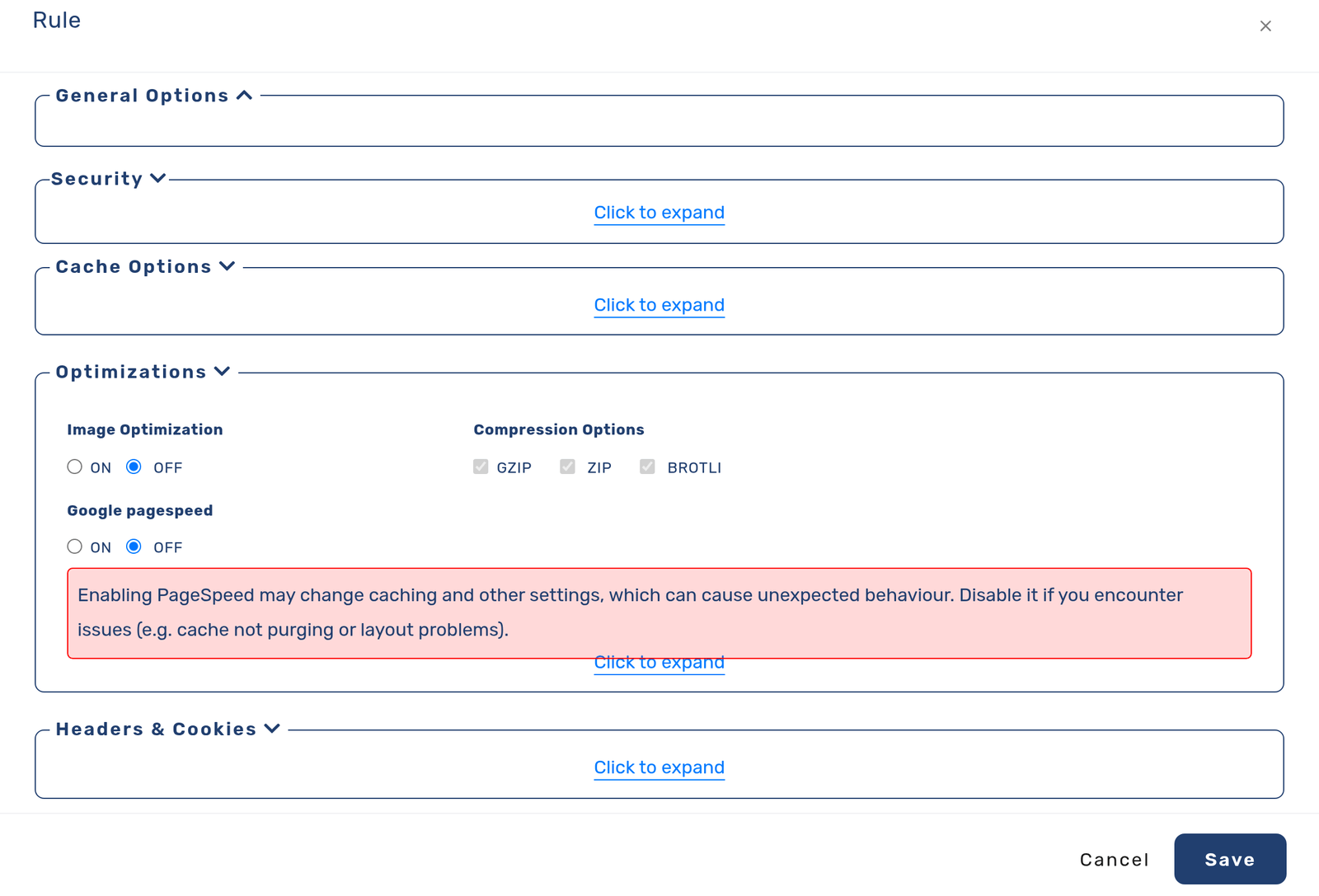
The levers in impact order: serve HTML and assets from edge cache so the first bytes come from nearby instead of your origin; convert hero images to WebP/AVIF and size them to the actual display instead of shipping camera-resolution files; compress the text that must arrive before rendering. On cdn.com.tr all three are delivery-rule settings — edge caching, automatic WebP/AVIF image optimization, and Brotli/Gzip — so the biggest LCP levers are toggles rather than a rebuild. Application-side, give the hero image a high fetch priority and never lazy-load it: lazy-loading the LCP element is the single most common self-inflicted LCP wound.
Fixing CLS: reserve the space
Layout shift has one root cause: content arriving without reserved space. The fixes are unglamorous and reliable. Give every image and video explicit width and height attributes (or aspect-ratio in CSS) so the browser reserves the box before the file arrives. Give ad slots and embeds fixed-size containers that hold their space whether or not the content loads. Preload custom fonts and use font-display strategies that avoid late swaps reflowing the page. And never inject banners above existing content after load — that one pattern is behind most terrible CLS scores.
CLS is the vital where a weekend of attribute-adding routinely takes a failing page to green.
Fixing INP: less JavaScript on the main thread
INP is the stubborn one, because its cause is structural: too much JavaScript doing too much work on the thread that also has to respond to the user. Delivery helps at the margins — smaller, compressed bundles arrive and parse faster — but the real fixes are in the application: break long tasks so the browser can breathe between them, defer third-party scripts that do not need to run before interaction, and cut the tag-manager payload that accumulated over the years. Measure first: the performance panel's long-task view tells you exactly which scripts hold the thread.
Be suspicious of anyone promising an INP fix without touching your JavaScript — the metric exists precisely because delivery alone cannot fake responsiveness.
A sane order of work
Check field data for the pages that matter commercially, not just the homepage. If LCP fails: edge caching, image format and sizing, compression — the delivery set — then fetch priority. If CLS fails: dimensions, reserved slots, font loading. If INP fails: budget real application work; nothing else moves it honestly. Re-measure in the field after each round and expect the 28-day lag.
And keep the frame: the point is not the badge. The same 2.5 seconds that satisfies a metric is the difference between a visitor who stays and one who leaves — the badge is just where you can see it.
Frequently asked questions
Do Core Web Vitals really affect rankings?
Yes, as one signal among many — a tiebreaker between comparable results rather than a dominant factor. The larger business effect is usually direct: the same slowness that fails the metric loses visitors before ranking enters into it.
Why is my lab score bad but field data green?
The lab simulates a slow device on a throttled network; your real audience may be on better hardware. Green field data is the answer that counts — use the lab only to diagnose, not as the goal.
How fast will a CDN improve my vitals?
The mechanism is immediate: edge-cached HTML and optimized images change LCP on the next uncached visit. The REPORTED field numbers move over up to 28 days, because they are a rolling window of real visits.
Which vital should I fix first?
The one failing in field data on your money pages. When several fail: LCP first (delivery settings, fastest win), CLS second (cheap application fixes), INP last (real JavaScript work).