
What "managed" means
Traditional hosting hands you a server (or a slice of one) and you maintain the operating system, runtime, security patches and scaling yourself. "Managed" means the platform handles the infrastructure: you provide your application — a WordPress site, a PHP project, or a container image — and the platform runs, secures, renews certificates for, and serves it. You focus on your app, not on servers.
This is the most common question, so plainly: yes, you can use it as hosting. You do not need a separate hosting provider. Point your domain here, choose WordPress, PHP, or a container app, and CDN.com.tr becomes where your site lives. Because it is built on the CDN, your site is automatically served through the global edge with caching and HTTPS — hosting and CDN in one place.
WordPress, PHP, or Container Apps — pick your path
If you run a WordPress or PHP site, you do not need to know anything about containers. Choose the WordPress or PHP platform, pick your version, and deploy — the runtime, web server and TLS are handled for you. You can connect a custom domain, manage files, and turn on a managed Redis cache for speed, all from the panel.
If your app is not WordPress/PHP — say a Node/Express API, a Next.js site, a Go service, a worker, or a tool like Jenkins or RabbitMQ — you can run it as a Container App. You bring a Docker image (or import a docker-compose file) and the platform runs it, gives it a URL, and keeps it healthy. If "Docker" is unfamiliar, see the Docker guide — you often need less of it than you think.
Managed add-ons and safe blue/green deployments
Most apps need a database or a cache. Instead of running and securing those yourself, enable a managed add-on with one click: Redis, PostgreSQL, MySQL/MariaDB or NATS. The platform provisions it, keeps it running, and connects it to your app by an internal name — so your services talk to each other privately, without exposing anything to the internet.
You should not have to touch a working production app to try a change. The platform lets you clone your live app into a preprod environment, test it for as long as you need on its own subdomain, then switch your production domain to it instantly — and roll back just as fast if anything looks wrong. Preprod can share the same database/cache as production or get its own copy, and a promote takes an automatic database snapshot so even data changes are reversible. See the Blue/green environments guide and case study in Platform Help.
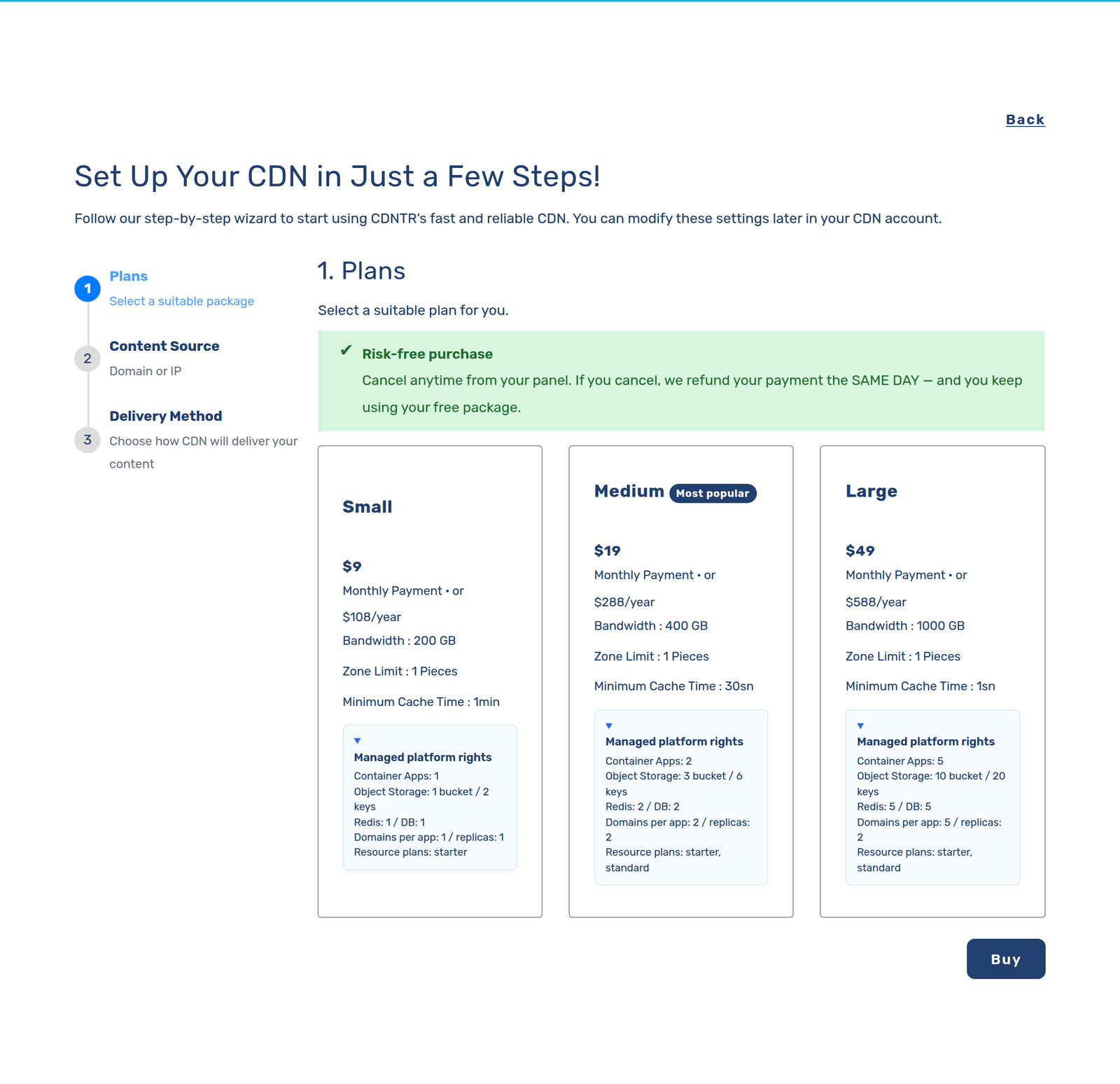
Each managed add-on comes in fixed sizes so you know exactly what you get. Managed PostgreSQL is offered as Starter (2 GB RAM / 1 vCPU), Standard (4 GB / 2 vCPU) and Large (8 GB / 4 vCPU); managed Redis as Starter (256 MB / 0.25 vCPU), Standard (512 MB / 0.5 vCPU) and Large (1 GB / 1 vCPU); and managed NATS as Starter (512 MB / 0.25 vCPU) and Standard (1 GB / 0.5 vCPU). MySQL/MariaDB is available as a managed add-on too. You can enable, resize or disable any of them from the panel, or with the cdnctl CLI — for example 'cdnctl container addons enable-postgres --account <uuid> --app <app_uuid>'.
What it does NOT do
Managed Platforms are not a VM or an SSH shell. You do not get OS-level package installs (no "apt install"), no Docker-in-Docker for building images inside a container, and no raw public TCP ports — public access is HTTP(S). It is also not a kubectl/SSH replacement.
In exchange, you get a platform that runs and secures your app without server administration.
What people run here
Managed WordPress with a custom domain, automatic HTTPS, a Redis cache and the CDN edge in front — no server to babysit.
Deploy your container app, enable a managed PostgreSQL or MySQL add-on, and connect them by internal name.
Import a docker-compose.yml: web, worker, database and cache come up together as managed apps and add-ons.
Frequently asked questions
Can I really use this instead of a hosting company?
Yes. For WordPress, PHP and containerised apps, CDN.com.tr can be your hosting. Your application runs here and is served through the CDN edge with automatic SSL.
Do I have to learn Docker?
For WordPress or PHP, no — those are point-and-click. Docker only comes in for custom apps, and even then you usually just supply an image or a docker-compose file. See the "What is Docker" guide.
Do I need to run my own database server?
No. Enable a managed Redis, PostgreSQL, MySQL/MariaDB or NATS add-on and the platform runs it for you, connected privately to your app.