
How DNS and a CDN fit together
DNS — the Domain Name System — is the internet's address book. When someone types your domain, DNS is what translates that name into an address a browser can connect to. Normally that address is your web server. To put a CDN in front of your site, you change DNS so your domain resolves to the CDN's edge instead, and the edge then talks to your origin server behind the scenes.
Nothing about your actual website has to change; you are only changing where the name points. After the switch, visitors hit the nearest CDN edge — getting cached, optimized, protected responses — and the edge fetches from your origin when it needs to. Setting up a CDN is, in large part, just this DNS change.
A records and CNAME records
Two record types do most of the work. An A record points a name directly at an IP address — for example your root domain (example.com) at the CDN's IP. A CNAME record points a name at another name — for example www.example.com at a CDN hostname — and lets the CDN manage the underlying address for you.
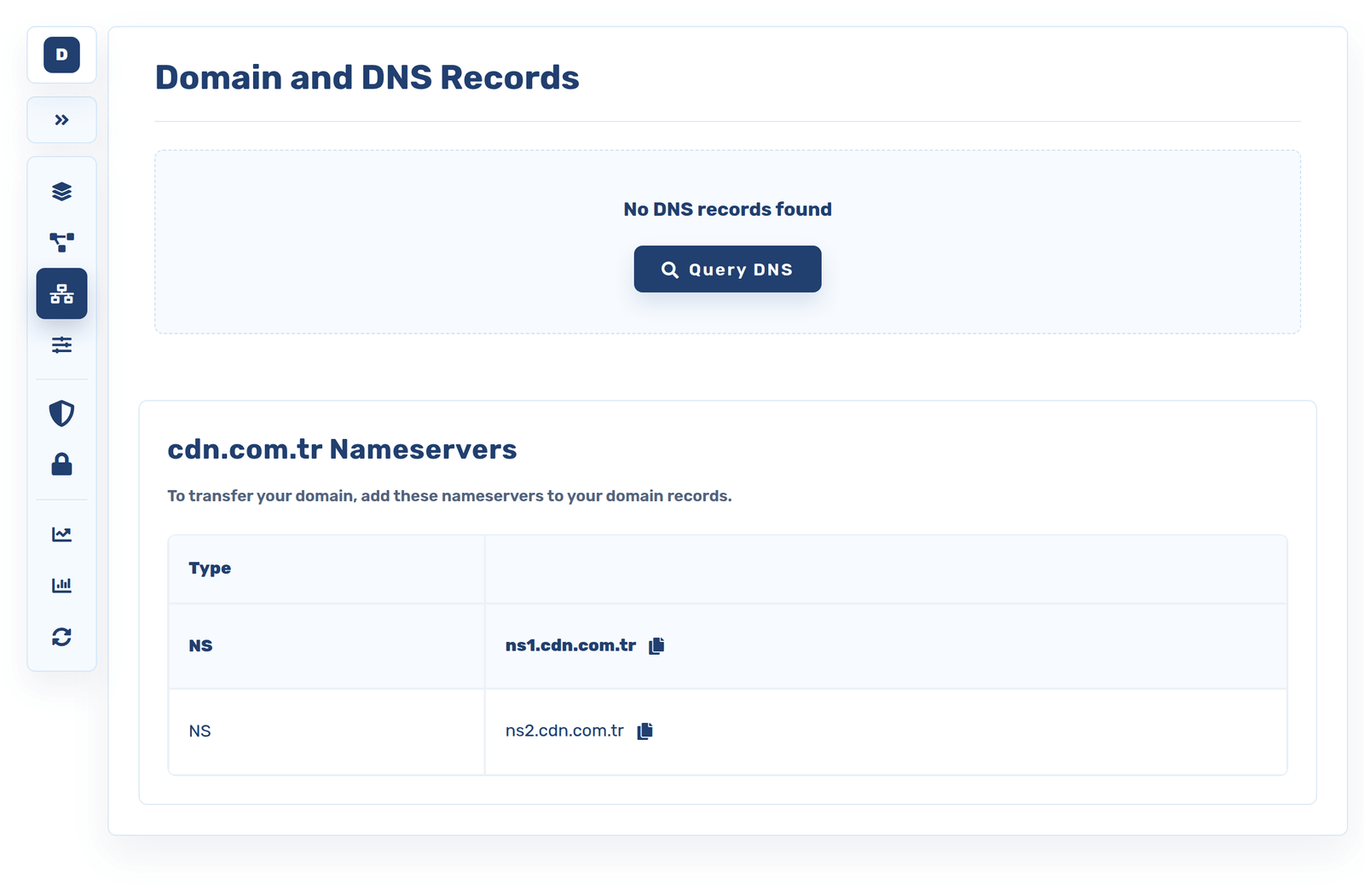
A common pattern is an A record for the bare domain and a CNAME for www, but the exact records depend on the provider and whether you are pointing a root domain or a subdomain. The provider tells you which values to enter; your job is to put them into your DNS. If your domain's nameservers are managed by the CDN, even this is handled for you.
Pointing your domain, step by step
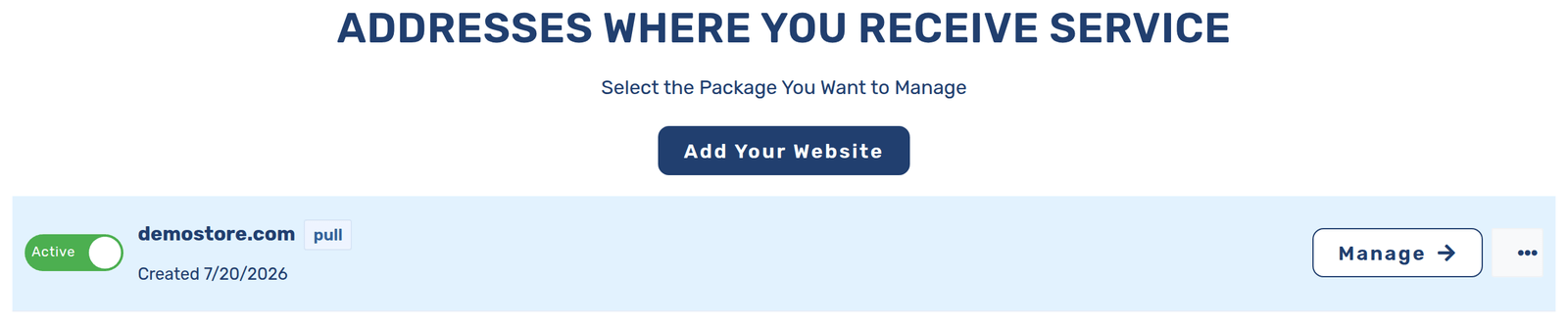
The flow is the same everywhere. First, add your domain to the CDN so it knows to expect your traffic. The CDN then gives you the DNS records to set — an A and/or CNAME, and sometimes a verification record to prove you own the domain. You log in to wherever your DNS is managed (your registrar or DNS host), enter those records, and save.
From there the CDN verifies the domain is pointing correctly and begins serving. The one thing to get right is precision: copy the values exactly, and do not leave an old record pointing at your origin that would bypass the CDN. Once the records are in and verified, your site is live on the edge.
Propagation and verifying it works
DNS changes are not instant. Servers around the world cache DNS answers for a period set by the record's TTL (time to live), so an update spreads gradually — usually minutes, sometimes longer. This is "propagation", and it simply means some visitors may see the change before others for a short while.
To check, you can look up your domain's records and confirm they now resolve to the CDN, and load your site to make sure it serves normally through the edge. Lowering the TTL before a planned change makes future switches propagate faster. Once propagation completes, everyone reaches your site through the CDN.
Automatic DNS and SSL on cdn.com.tr
The fiddly parts of this — knowing the exact records, waiting on SSL, keeping certificates renewed — are where a good platform saves you. cdn.com.tr shows you precisely which DNS records to set for your domain, or manages the DNS for you if you delegate your nameservers, so there is no guesswork.
Crucially, SSL is automatic: once your domain points to cdn.com.tr, a certificate is issued and then renewed on its own, so the padlock never lapses and you never track expiry dates. You do the one DNS change; the platform handles verification, delivery and encryption from there. That turns "set up a CDN" from a checklist into a couple of steps.
When you do this
The DNS change is the whole switch — point your domain at the edge and your current site is accelerated.
A new domain or subdomain needs its A/CNAME records set so the edge serves it with its own SSL.
Lower the TTL first, then repoint DNS so the switch propagates quickly with minimal overlap.
Once DNS points to cdn.com.tr, the certificate is issued and renewed automatically — no manual steps.
CDN DNS FAQ
Do I change my website to use a CDN, or just my DNS?
Usually just your DNS. You repoint your domain at the CDN edge; the edge then fetches from your existing origin server behind the scenes. Most sites need no code changes — the switch is a DNS record change, not a rebuild.
What is the difference between an A record and a CNAME?
An A record points a name at an IP address; a CNAME points a name at another name. Root domains often use an A record and subdomains like www a CNAME. The CDN tells you the exact values to enter for your case.
How long do DNS changes take?
Not instant — DNS answers are cached for a period set by each record's TTL, so a change propagates gradually, usually within minutes and sometimes longer. Lowering the TTL before a planned switch makes it propagate faster.
Does cdn.com.tr set up DNS and SSL for me?
It shows you the exact records to add, or manages DNS for you if you delegate your nameservers. Once your domain points to cdn.com.tr, SSL is issued and renewed automatically, so you do the one DNS change and the platform handles verification and encryption.